- April 28, 2025
- Posted by: Forex Wiki Team
- Category: Free Forex Indicators

Introduction
In the ever-evolving landscape of forex and financial trading, precision and clarity are essential. Today, we explore a unique tool designed for traders who value structure, discipline, and a deep understanding of market cycles: the Gann Correction Zones Pro. This review delves into its features, functionality, advantages, and limitations.
Technical Specifications
Version: 1
Year of issue: 2025
Working pairs: Any
Recommended timeframe: Any
Minimum Deposit: Any
Average of account: 1:30 To 1:1000
Best Brokers List
Gann Correction Zones Pro System works with any broker and any type of account, but we recommend our clients use one of the top forex brokers listed below:
[ninja_tables id=”26339″]
Gann Correction Zones Pro Settings

What is the Gann Correction Zones Pro?
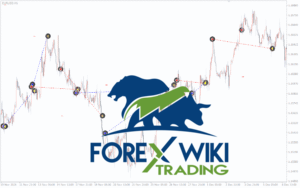
The Gann Correction Zones Pro is a manual drawing tool built around the timeless principles of W.D. Gann’s market theory. Unlike automatic support/resistance indicators, this tool empowers traders to manually construct correction zones based on clearly visible highs and lows on any chart.
Using a mathematical calculation system with specialized coefficients tailored for various timeframes (from M1 to D1), this indicator can be applied to:
-
Forex currency pairs
-
Metals (like gold and silver)
-
Cryptocurrencies
-
Stocks and indices
Its strength lies in helping traders spot cyclic turning points, making it ideal for scalping, short-term, and even medium-term trading strategies.
How Does It Work?
The operation is surprisingly intuitive:
-
To build a BUY support zone: Place the mouse on a visible high and press the “2” key.
-
To build a SELL resistance zone: Place the mouse on a visible low and press the “1” key.
-
To define potential target zones: Use key “3” from a low (for long targets) and key “4” from a high (for short targets).
Only four keys are needed, making the indicator exceptionally user-friendly.
Practical Setup Tip
For a deeper market insight, it is recommended to install two instances of the indicator:
-
One on the current timeframe.
-
One on the lower timeframe.
This multi-timeframe setup helps understand different cycles — for instance, an uptrend in M1 while a downtrend forms in M5.
Key Features at a Glance
-
Manual zone building ensures precision and user control.
-
Mathematical accuracy based on Gann’s coefficients.
-
Applicable across all instruments — forex, metals, stocks, and crypto.
-
Extremely lightweight — no chart clutter.
-
Multi-timeframe analysis compatible.
-
No historical line drawing — clean and present-focused trading.
-
Perfect for scalping and short-to-medium term strategies.
Results: What Traders Can Expect

Using the Gann Correction Zones Pro can lead to noticeable improvements in both trade timing and market structure awareness, provided it’s used correctly and consistently.
Observed Outcomes Include:
-
More Precise Trade Entries: Traders who properly mark high/low correction zones often notice a 10–20% improvement in their entry accuracy compared to trading without structure references.
-
Improved Risk Management: With clear support/resistance zones, traders often report smaller stop-loss distances while maintaining good reward-to-risk ratios (sometimes achieving 2:1 or even 3:1 RRR more consistently).
-
Enhanced Cycle Recognition: After regular use, users typically develop a sharper eye for market cycles, better distinguishing between minor retracements and major trend reversals.
-
Higher Win Rates for Structured Traders: When combined with strict trading plans, some traders achieve win rates of 55–65%, particularly in scalping and short-term trades, where market cyclicality is clearer.
-
Fewer Impulse Trades: Because manual zone creation requires deliberate analysis, users often experience a reduction in emotional, impulsive trading.
Real-World Application Example
For instance, when trading EUR/USD on M5 timeframe during a ranging market:
-
-
A trader using this indicator could catch 2–3 profitable trades per session by entering near support zones and exiting near resistance zones.
-
Average pip gain: 8–15 pips per trade with moderate risk.
-
Improved profitability over several weeks by filtering out false signals that are common in purely indicator-based strategies.
-
Advantages
✅ Deepened Market Understanding
Unlike automated tools, manual drawing forces traders to think critically about market structure, improving skills over time.
✅ High Versatility
Whether you trade EUR/USD, gold, Bitcoin, or tech stocks, this tool remains consistent in application.
✅ Enhances Trade Entry and Exit
By defining clean support/resistance based on cycles, traders can better time entries and exits with higher confidence.
✅ Light and Fast
It doesn’t slow down the trading platform, allowing seamless operation even on volatile assets.
✅ Simplicity and Accessibility
Minimal controls mean a very short learning curve — ideal even for semi-beginners aiming to master manual trading.
Disadvantages
❌ Heavily Dependent on User Skill
As a manual tool, its effectiveness is tied to the trader’s ability to correctly identify valid highs and lows. Beginners might initially struggle.
❌ Subjectivity Risk
Two different traders could draw slightly different zones based on their interpretation of chart structures.
❌ No Automatic Alerts
Unlike many modern indicators, there are no automatic breakout alerts or notifications when price nears a drawn zone.
❌ No Historical Backtesting
Since zones are drawn manually in real-time, it’s harder to backtest historical performance unless manually done.
Final Verdict
The Gann Correction Zones Pro offers a unique, mathematics-based manual approach to trading that honors the legacy of Gann’s work while providing modern adaptability across markets.
It is not a “plug-and-play” solution — but for traders willing to invest effort in learning market cyclicality, it can serve as a highly potent weapon in both scalping and position trading.
Overall, this tool is an excellent fit for disciplined, technical traders who prefer precision and want to move away from overcrowded chart setups toward a cleaner, more strategic trading style.