- July 4, 2021
- Posted by: Forex Wiki Team
- Category: Free Forex EA
Hi Forex Wiki Friends,
Night Forex EA Description :
NightEA – is an automated Expert Advisor that uses night scalping trading during the closing of the American trading session. The EA uses a number of unique author’s developments that have been successfully tested on real trading accounts. The EA can be used on most of the available trading instruments and is characterized by a small number of settings and easy installation.
Features
- Does not use dangerous (toxic) trading methods in trading, which lead to a sharp loss of the entire Deposit (martingale, grid, arbitrage, etc.).);
- Every trade has it’s Stop Loss and Take Profit protecting your Deposit;
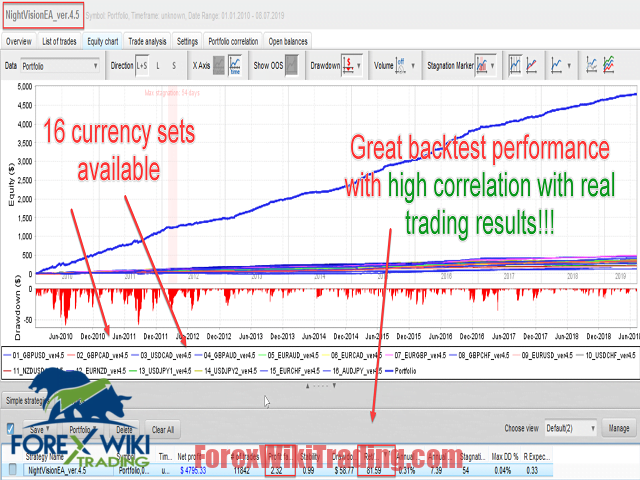
NightEA works on the following currency pairs: GBPUSD;GBPCAD;USDCAD;GBPAUD;EURAUD;EURCAD;EURGBP;GBPCHF;EURUSD;USDCHF;NZDUSD;EURNZD;USDJPY;EURCHF;AUDJPY;AUDNZD
For best results, it is recommended to use ECN accounts with low spread and Commission.
Broker Requirement :
[ninja_tables id=”26339″]
Characteristics
- TradingPair – select a set to trade;
- Magic Number – unique magic number;
- Fix Lot – fix lot size. Used if the Risk %= 0;
- Risk % – % of deposit under risk at a single order/trade;
- 0.01 lot per Deposit – deposit used for every 0.01 trading lot;
- GMT Offset – broker’s time offset;
- DaylightSavingTime – set true if your broker uses DST change;
- Trade Friday – open trades at Friday;
- Max Orders with the same currency (0 – disabled) – max number of open orders with the same currency in the same direction;
- Comment – comment to a order/trade
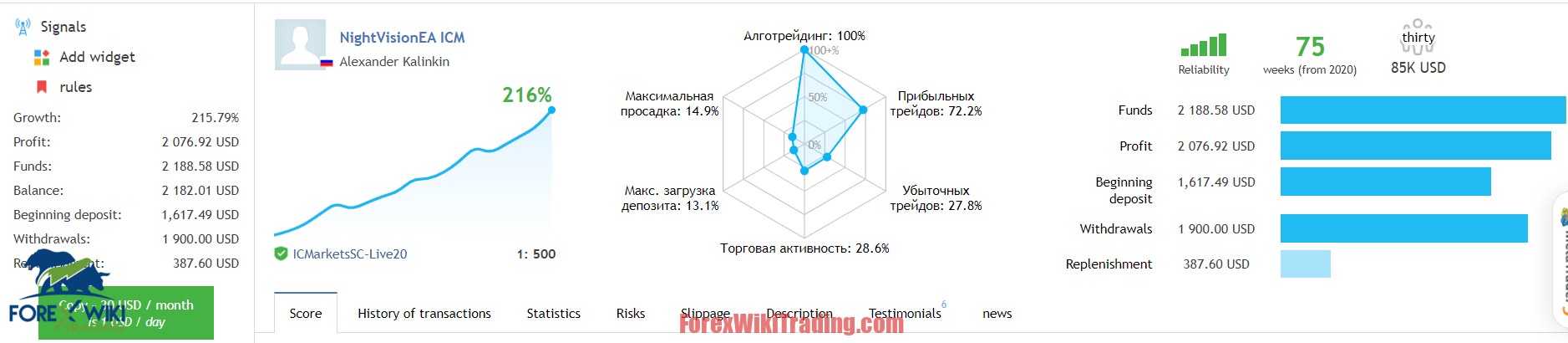
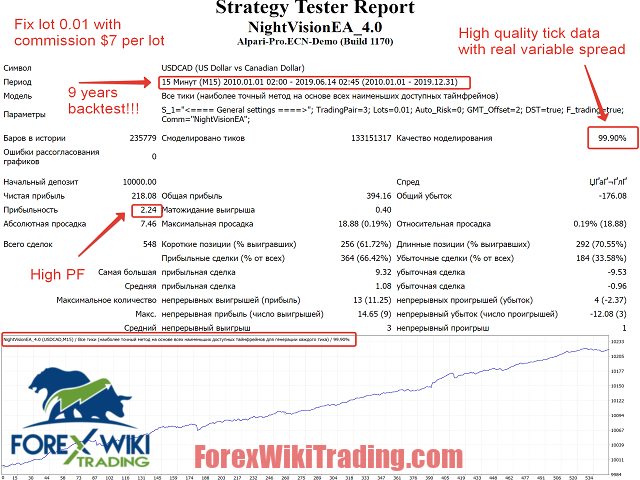
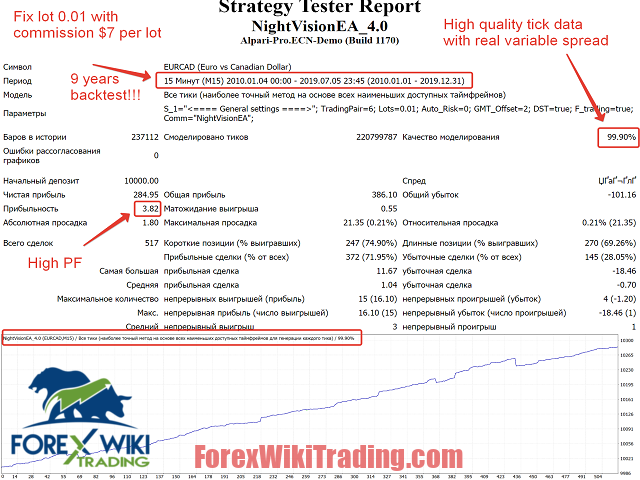
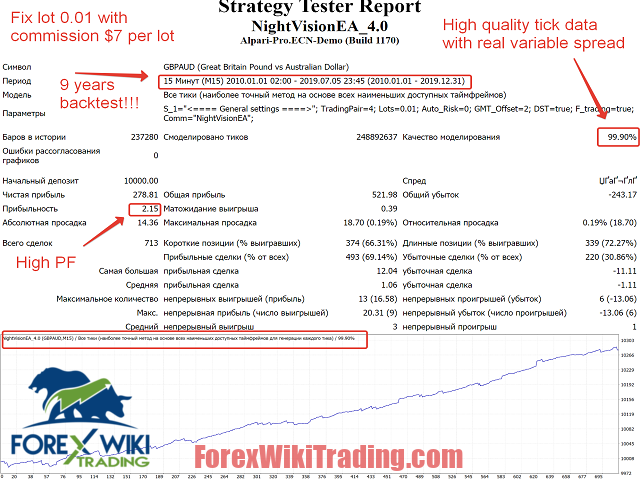
Night Forex EA Results:
Download Night Forex EA :
If you have updated to New version don’t worry! I’ll tell you how to downgrade to a stable release. It’s easy!
-
- Close your client terminal and open the folder where it is installed (for instance, my is in “C:\Program Files\XXXX- MetaTrader 4”.)
- Download the archive contains the previous version of the executable file
https://github.com/rosasurfer/mt4-mql
- extract terminal.exe from the archive, and replace the same file in your terminal folder (in my case, I replace the file “C:\Program Files\XXXXXX- MetaTrader 4\terminal.exe”.)
- To block updates to the tester agents, you can also protect the directory: “%APPDATA%\MetaQuotes\Tester\LiveUpdate“
Note, the file is compatible with all brokers. In other words,