- January 27, 2020
- Posted by: Forex Wiki Team
- Category: Free Forex EA
3 Comments
1637
1506
Hi Forex Wiki Friends,
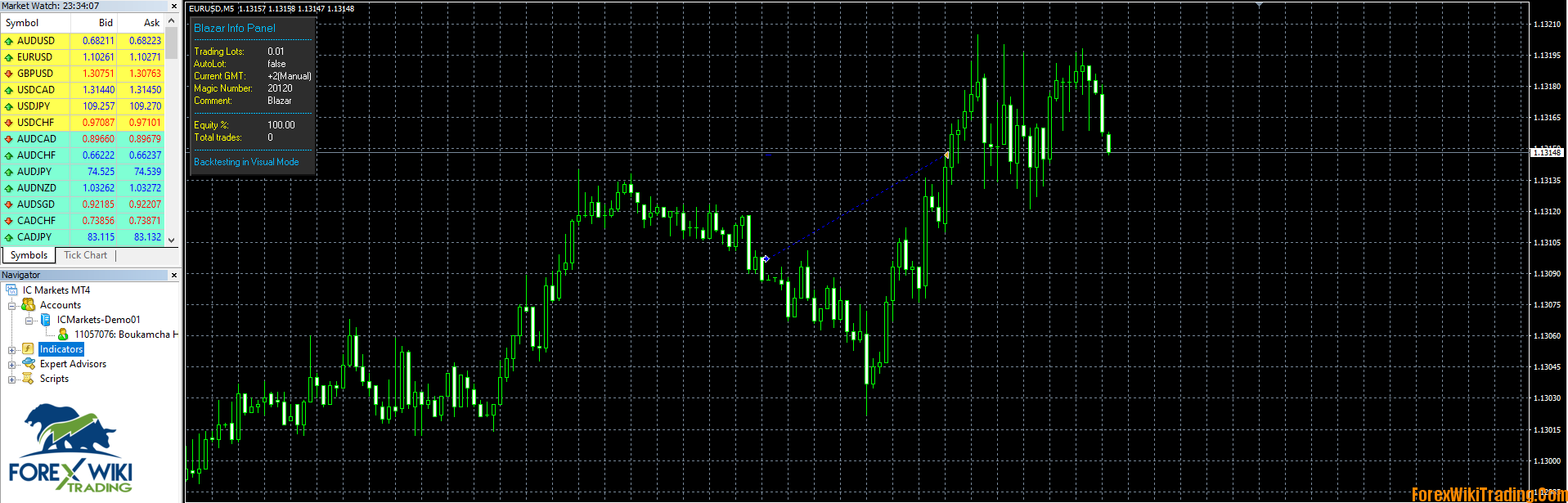
Blazar EA Description :

Blazar is a fully automated trading system trading on the most popular currency pairs: EURUSD , GBPUSD , USDJPY . The system is based on pure Price Action and uses the pinnacle of market distribution to most safely determine trend reversal points.
Each trade has a stop loss.
Advisor can work in 2 modes :
- Normal Mode – classic trading: 1 signal = 1 trade. No martingale , grid and hedging
- Recovery Mode – the adviser will exit drawdowns faster using several averaging deals, which gives a more comfortable yield curve
Both modes are compatible with FIFO
Features
- Stable yield curve as a result of a high percentage of winning trades
- Passes stress tests on the entire available history, signals are available on real accounts.
- Automatic time zone adjustment
- Minimum deposit: $ 50 for Normal Mode and $ 300 for Recovery Mode
- Easy to set up and use
Timeframe: M5
Currency pairs: EURUSD (default), GBPUSD, USDJPY
Signals on real accounts:
- Recovery Mode: https://www.mql5 .com/en/signals/564057
- Normal Mode : https://www.mql5. com/en/signals/648838
- Recovery mode, 3 pairs: https://www.mql5 .com/en/signals/616029
Blazar EA Input parameters:
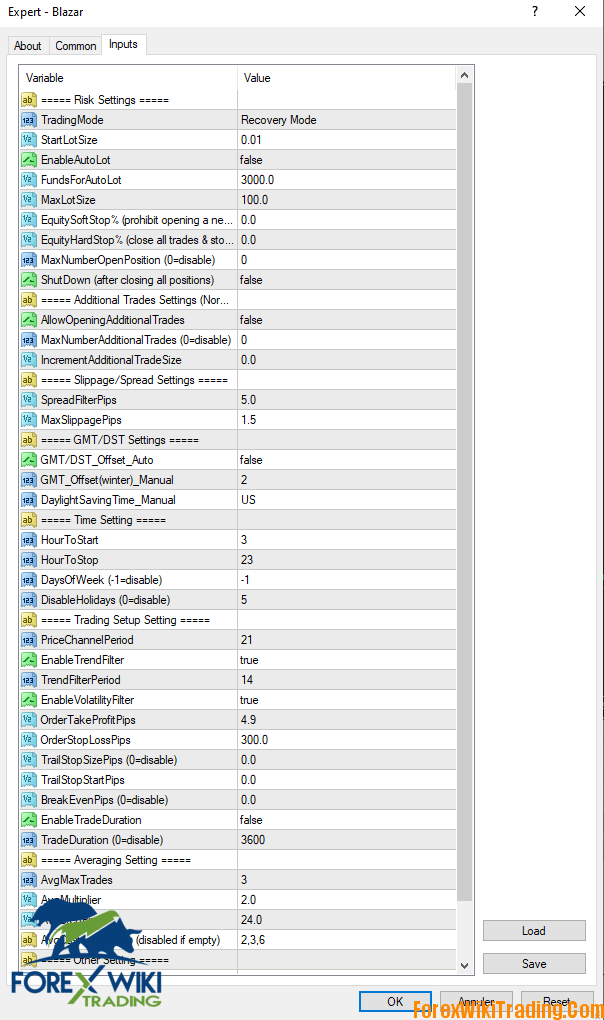
- StartLotSize – proportional lot size if EnableAutoLot is set to true and fixed lot size if EnableAutoLot is set to false
- EnableAutoLot – the trading lot will increase with an increase in your account balance
- FundsForAutoLot – specify here, for which deposit you want to open transactions with the lot = StartLotSize, if EnableAutoLot is set to true. For example, FundsForAutoLot = 1000 and StartLotSize = 0.05 means that for every 1000 dollars 0.05 lots will be opened (0.5 for 10,000 dollars, etc.)
- MaxLotSize – set max. allowable lot size
- SpreadFilterPips – if the spread is higher than the value specified here, the transaction will not be opened
- MaxSlippagePips – works only for Instant accounts (not ECN). Indicate here what maximum slippage you are ready to receive on your Instant account.
- GMT / DST_Offset_Auto – if true, the EA will try to find the correct GMT offset for your broker automatically. You must allow requests to https://www.worldtimeserver.com
- GMT_Offset (winter) _Manual – set the time zone of your broker
- DaylightSavingTime_Manual – if your broker uses daylight saving time, set the value to Europe or US
- HourToStart – hour of the day when Blazar starts searching for entry points for deals
- HourToStop – the hour of the day when Blazar finishes searching for entry points
- DaysOfWeek – days of the week when Blazar is allowed to trade. For example, 234 means 2, 3, and 4 days of the week
- DisableHolidays – do not trade during the New Year
- PriceChannelPeriod – channel period used for market analysis
- EnableTrendFilter – set to true if you want to avoid risky transactions during periods of trending markets
- TrendFilterPeriod – trend filter period
- EnableVolatilityFilter – set to true if you want to avoid transactions during periods of high volatility
- OrderTakeProfitPips – take profit size in pips (1 pip = 10 points)
- OrderStopLossPips – stop loss size in pips (1 pip = 10 points)
- EnableTradeDuration – set to true if you want to limit the position holding time
- TradeDuration – set the maximum position holding time, in bars
- AvgMaxTrades – Max. number of averaging deals
- AvgMultiplier – averaging coefficient
- AvgStepPips – pips step between averages
- AvgCustomSettings – user averaging coefficients, separated by comma
- BasicMagicNumber – a unique number for transactions. Must not exceed 99999!
- TradeComment – comment on deals
Blazar EA Results :

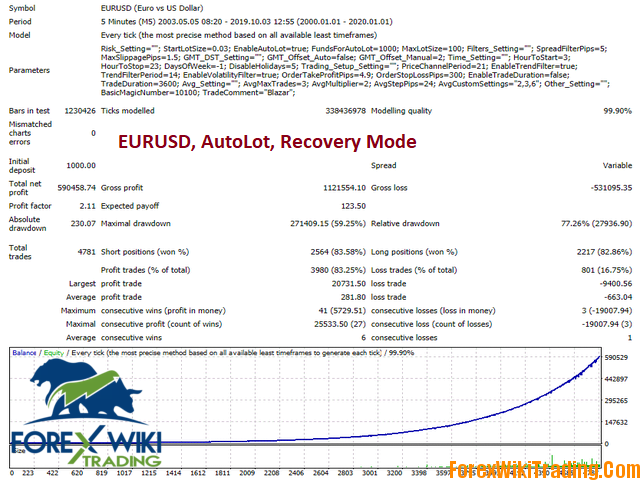
Blazar EA Free Download :
[ForexWikiTrading.com] Blazar
Related Posts: