- December 20, 2020
- Posted by: Forex Wiki Team
- Category: Free Forex EA
Hi Forex Wiki Friends,
12Bot EA Description :
Expert information
- Correlation
- $ 200
- $ 2500
- 1/500
- 20% -30% per week
- Yes
- Rebate / Speculation

Broker Requirement :
[ninja_tables id=”26339″]
12Bot EA Settings:
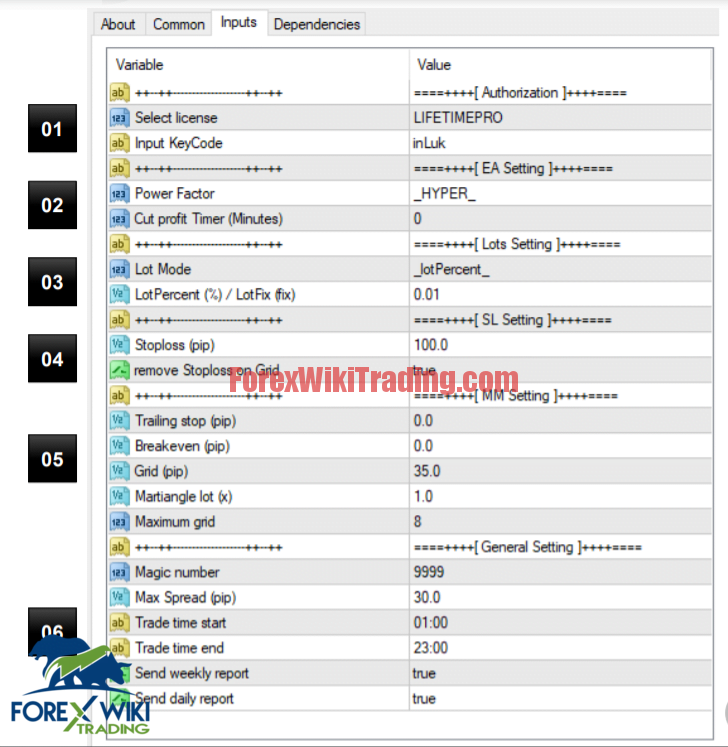
Select license: Pilih license sesuai paketan
2) Input KeyCode: Masukkan keycode pribadi anda
.
02 1) Power Factor: Dropdown menu mode EA • HYPER: Entry lebih banyak. • BASIC: Entry Normal. • SQUID: Entry lebih sedikit.
2) Input KeyCode: Masukkan keycode pribadi anda
.
03 1) Lot Mode: Dropdown mode lot (juga untuk mode cut
profit). • lotPercent: Mode persen • lotFix: Mode fix lot
2) Input lot: masukkan jumlah lot dalam persen / fix.
04 1) Stoploss: Input stoploss dalam pip
2) Mode: Jika true, ea akan menghapus SL ketika terjadi
Grid entry.
05 1) Trailingstop: input 0 untuk disable trailingstop
2) Breakeven: input 0 untuk disable breakeven
3) Grid: input 0 untuk disable grid entry
4) Martiangle: input 1 untuk disable martiangle
5) Max Grid: maksimum entry grid
06 1) Magic: identifier EA
2) Max Spread: maksimum spread
3) Trade time start: input jam awal aktif ea
4) Trade time end: input jam akhir stop ea
5) Send weekly report: notifikasi ke android/IOS setiap minggu.
6) Send daily report: notifikasi ke android/IOS setiap hari
.
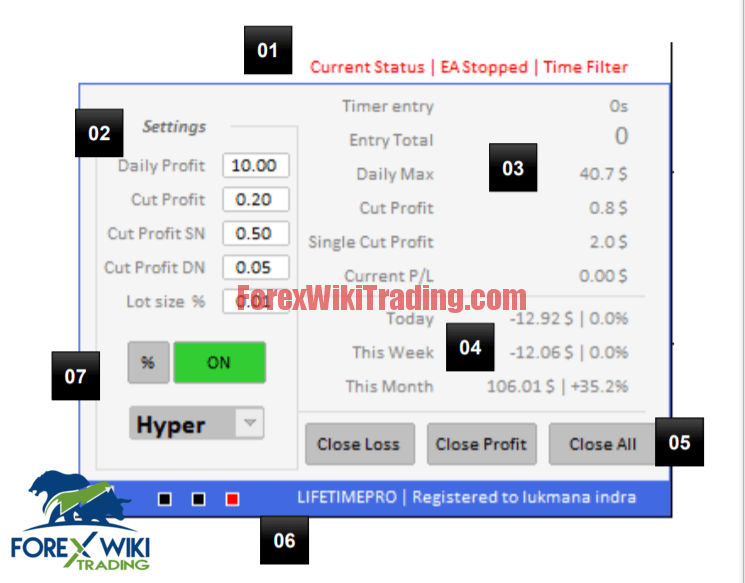
1) Info tentang status EA Saat ini,
2) Pastikan tulisan status ini kelap kelip (merah stop,
hijau aktif).
02 1) Direct setting
• Daily profit: input Batasan profit harian
• Cut profit: input cut profit
• Cut profit SN: Single cut profit
• Cut profit DN: Dynamic cut profit (Aktif ketika
entry lebih dari 4).
• Lot size (%/Fix): input lot dalam persen / fix
03 1) Tampilan informasi
• Timer: waktu kapan terakhir ea melakukan entry
• Entry total: Total entry Buy dan Sell saat ini
• Daily Max, Cut profit, Single cut profit: Hasil kalkulasi
dari input (section 2).
• Current P/L : total akumulasi profit / loss order aktif.
04 1) Info tentang profit Hari ini, Minggu ini, dan Bulan ini
05 1) Tombol closing manual
06 1) Info tentang paket dan nama yg terdaftar
2) Tombol putih (<) untuk menampilkan informasi tambahan.
06
07
07 1) Tombol pergantian mode persen/fix (lot dan cut profit)
2) Tombol On/ Off ea (pause)
3) Dropdown mode entry (Hyper, Basic, Squid).
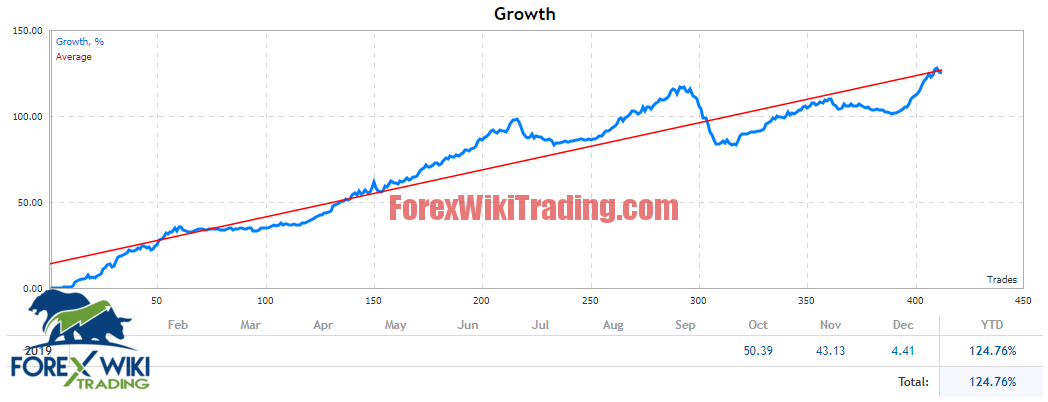
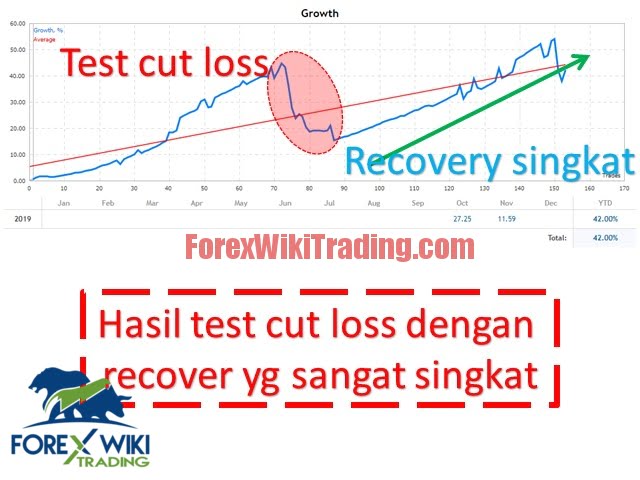
12Bot EA Results:
12Bot EA Download :
[ihc-hide-content ihc_mb_type=”show” ihc_mb_who=”1,2,3″ ihc_mb_template=”3″ ]
[+ForexWikiTrading.com]12Bot_fixed
[/ihc-hide-content]