- January 18, 2026
- Posted by: Forex Wiki Team
- Category: Free Forex EA
Introduction
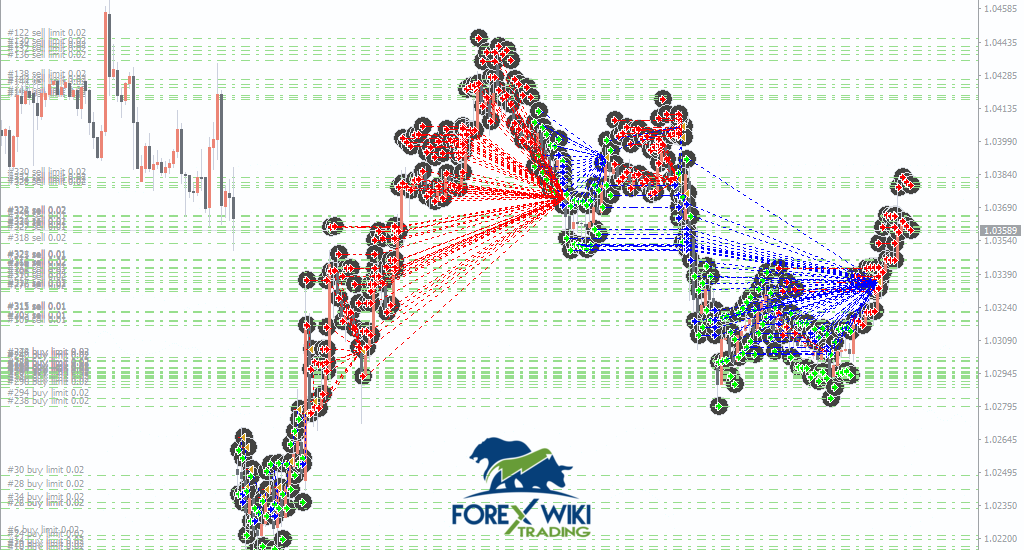
OrionGrid Pro EA V2.5 is an advanced automated trading system designed for the MetaTrader 4 platform that utilizes sophisticated grid-based trading strategies. This Expert Advisor has been developed to capitalize on market fluctuations by placing strategic orders at predetermined price intervals, creating a grid pattern that can generate profits from both trending and ranging market conditions.
The EA incorporates dynamic order management algorithms that automatically adjust position sizes and grid spacing based on current market volatility. OrionGrid Pro is specifically optimized for major currency pairs including EURUSD, GBPUSD, and AUDUSD, making it a versatile tool for forex traders seeking consistent returns through algorithmic trading.
How OrionGrid Pro EA Works
OrionGrid Pro EA employs a multi-layered grid trading approach that systematically opens positions at regular intervals. When the market moves against initial positions, the EA opens additional orders at lower prices for buy grids or higher prices for sell grids, averaging down the entry price. As the market eventually reverses, even small retracements can close multiple positions in profit.
The system features intelligent trend detection that helps determine optimal grid direction. It analyzes multiple timeframes and technical indicators to identify the prevailing market bias, then aligns its grid structure accordingly. This adaptive mechanism reduces the risk of extended drawdowns during strong trending periods while maximizing profit potential during ranging conditions.
Risk management is handled through configurable lot sizing, maximum position limits, and equity protection features. The EA continuously monitors account equity and can automatically reduce exposure or halt trading when predefined risk thresholds are reached.
Key Features of OrionGrid Pro EA
- Dynamic Grid Spacing: Automatically adjusts distance between orders based on market volatility
- Multi-Pair Support: Optimized for EURUSD, GBPUSD, and AUDUSD trading
- Smart Lot Management: Progressive lot sizing with customizable multipliers
- Trend Filter: Built-in trend detection to align grid direction with market momentum
- Equity Protection: Automatic stop-out when drawdown exceeds specified limits
- Time Filters: Option to restrict trading during specific sessions or news events
- Trailing Stop System: Lock in profits as trades move favorably
- Visual Dashboard: Real-time display of EA status and performance metrics
Technical Specifications
Version: 2.5
Last Updated: January 2026
Platform: MetaTrader 4 (MT4)
Timeframe: H1
Currency Pairs: EURUSD, GBPUSD, AUDUSD
Minimum Deposit: $500 recommended
Account Type: ECN/Raw Spread preferred
Advantages and Disadvantages
Advantages:
- Consistent profit generation during ranging markets
- Fully automated with minimal user intervention required
- Flexible parameters for different risk appetites
- Works on multiple major currency pairs
- Includes comprehensive risk management features
- Built-in visual interface for easy monitoring
Disadvantages:
- Grid strategies can experience significant drawdowns during strong trends
- Requires adequate account balance to withstand market fluctuations
- Not suitable for accounts with high leverage restrictions
- Performance varies based on market conditions
Installation Guide
- Download the OrionGrid Pro EA V2.5 MT4 package from the link below
- Extract the contents of the ZIP file to your desktop
- Open MetaTrader 4 and navigate to File > Open Data Folder
- Copy the .ex4 file to the MQL4/Experts folder
- Restart MetaTrader 4 or refresh the Navigator panel
- Attach the EA to a chart with your preferred currency pair (H1 timeframe)
- Configure settings according to your risk tolerance and click OK
- Ensure AutoTrading is enabled in the platform toolbar
Preview Images
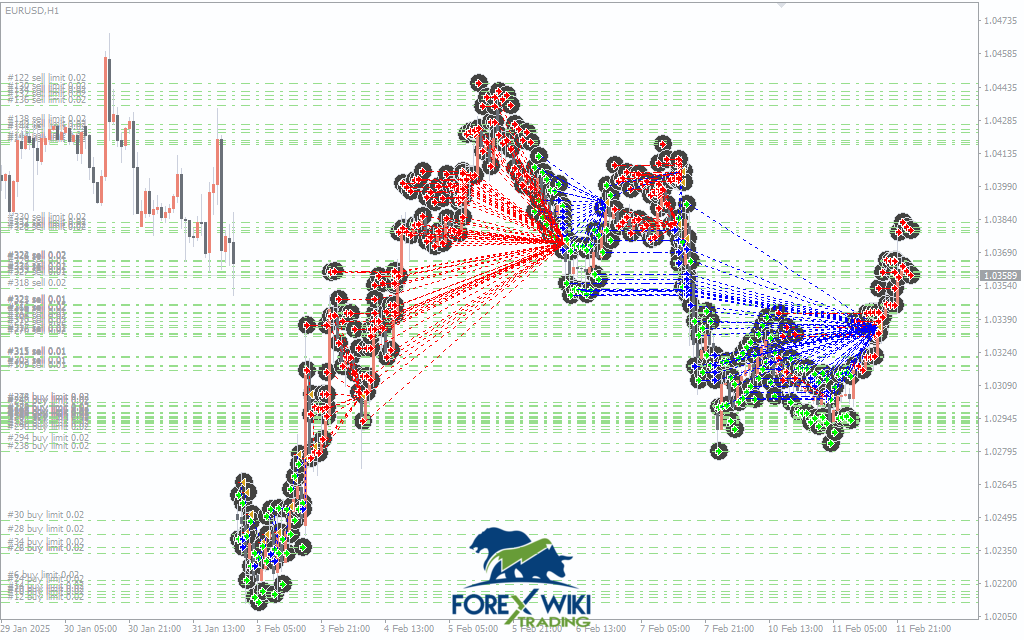
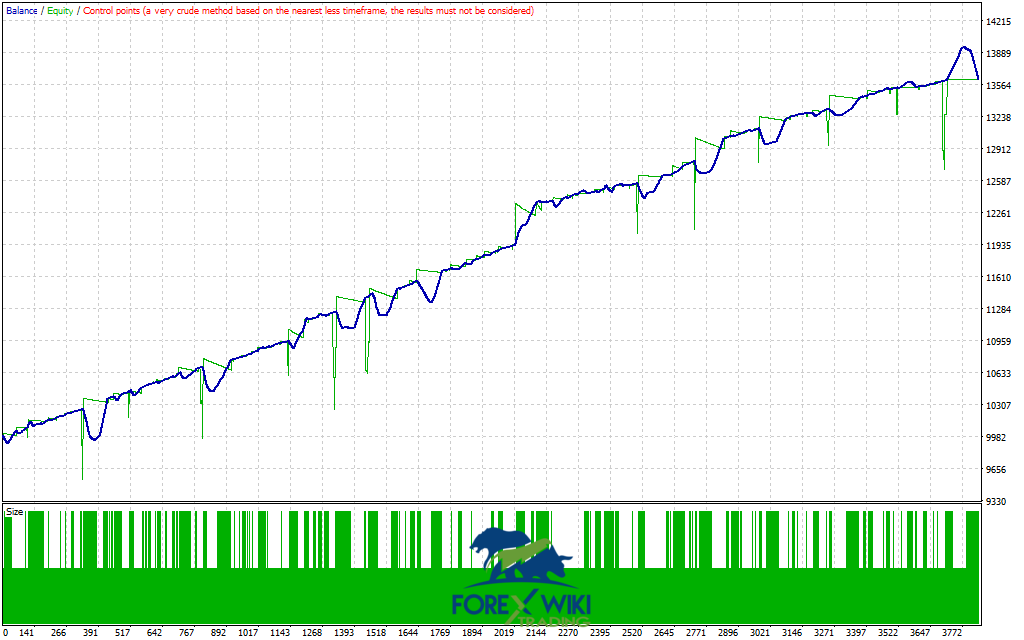
OrionGrid Pro EA V2.5 MT4 Free Download
Download OrionGrid Pro EA V2.5 MT4 for free and experience the power of automated grid trading. This sophisticated Expert Advisor offers professional-grade features at no cost, allowing traders to leverage advanced algorithmic strategies for consistent market returns.
Disclaimer
Risk Warning: Trading forex and CFDs carries significant risk and may not be suitable for all investors. Past performance does not guarantee future results. Only trade with money you can afford to lose. OrionGrid Pro EA is provided for educational purposes and should be thoroughly tested on a demo account before live trading. The developers and distributors assume no responsibility for trading losses incurred through the use of this software.