- May 1, 2021
- Posted by: Forex Wiki Team
- Category: Free Forex EA
Hi Forex Wiki Friends,
Pro Advisor Description :
(In versions MT5 and MT4, there may be slight differences, due to the peculiarities of the implementation of the code on MT5)
Fully automatic Expert Advisor with a loss recovery system.
The strategy is based on the breakout of significant levels, with automatic calculation of Stop Loss (200-400 points (5 digits)).
The EA has been tested from 2010 to the present day in various market conditions / periods.
- Stop loss is always used
- No martingale / grid / hedging, etc. are used (the recovery function uses an increase in the lot 1 time)
- FIFO compliant
Recommended pair EURUSD. Timeframe M30.
Monitoring – https://www.mql5. com/en/signals/author/bebikovi
Risk value recommendations:
- Risk = 3-5 – Low risk;
- Risk = 7-10 – Average risk;
- Risk = 15-25 – High risk;
Recommended – ECN / STP Broker with a minimum StopLoss level of 0-1 pips / spread 0-5 pips (5 digits) / VPS server.
Trading leverage 1: 100 and higher (you can use a lower leverage but with a lower Risk value)
Pro Advisor Settings:
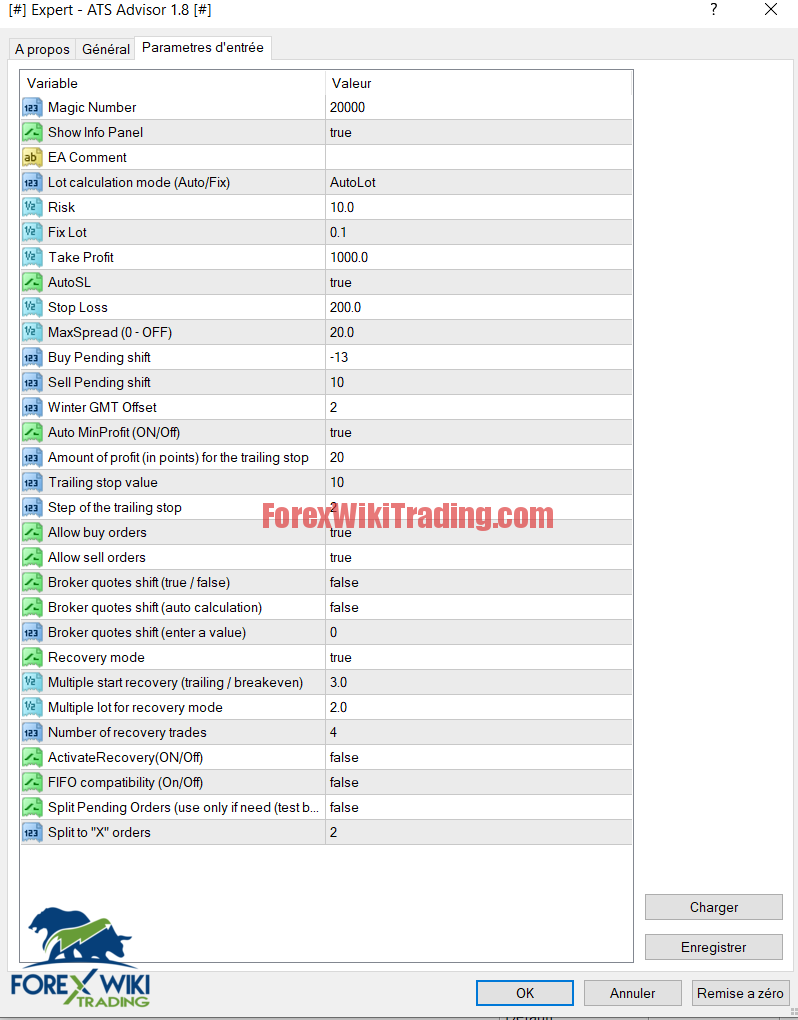
Parameters
- Magic Number – trade identifier;
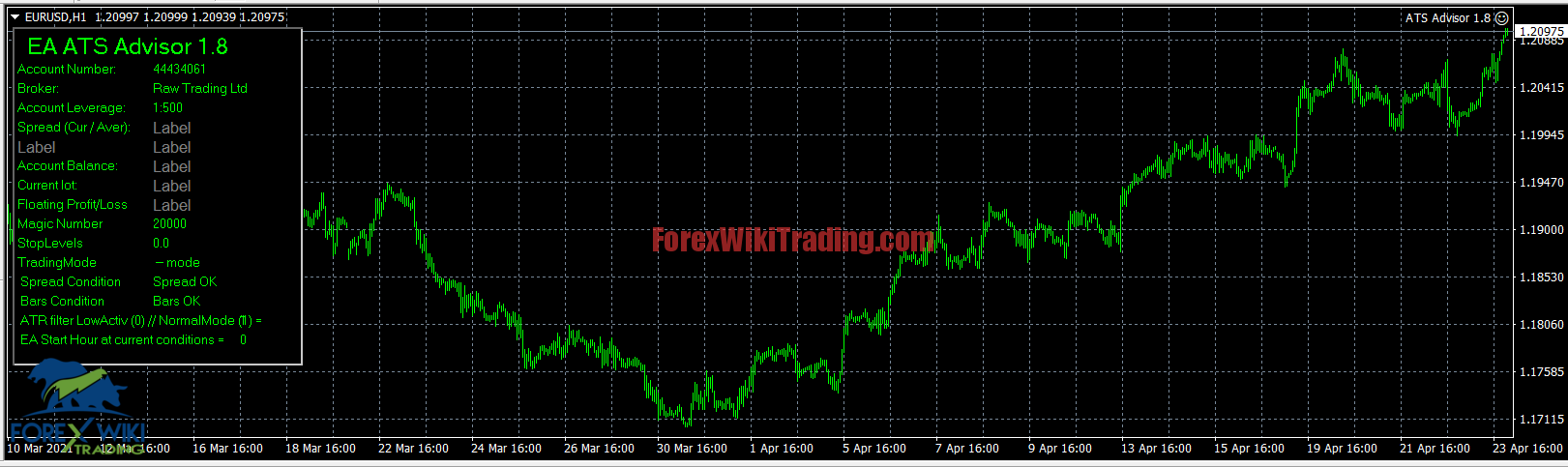
- Show Info Panel – show the information panel;
- EA Comment – a comment to the advisor’s deals;
- Lot calculation mode (Auto / Fix) – lot calculation mode (AutoLot / Fixed Lot);
- Risk – lot size based on the maximum risk per trade;
- Fix Lot – fixed lot size;
- Take Profit – take profit;
- AutoSL – automatic calculation of SL;
- Stop Loss – stop loss;
- MaxSpread (0-OFF) – control of the maximum spread (0-Off);
- Buy Pending shift – shift for a buy order;
- Sell Pending shift – shift for a sell order;
- Winter GMT Offset – server winter time zone;
- Auto MinProfit (ON / Off) – automatic calculation of the minimum profit for the trailing stop;
- Amount of profit (in points) for the trailing stop – the number of points required to start a trailing stop;
- Trailing stop value – trailing stop size;
- Step of the trailing stop – trailing stop step;
- Allow buy orders – allow buy orders ;
- Allow sell orders – allow sell orders ;
- Broker quotes shift (true / false) – use quotes shift (if the Bid price differs from the price on the chart);
- Broker quotes shift (auto calculation) – Automatically calculate the shift;
- Broker quotes shift (enter a value) – Shift value;
- Recovery mode – drawdown recovery function (on / off);
- Multiple start recovery (trailing / breakeven) – coefficient for trailing, for the recovery function;
- Multiple lot for recovery mode – lot calculation factor for the recovery function;
- Number of recovery trades – the number of transactions in recovery mode
- ActivateRecovery (ON / Off) – forced activation of recovery mode.
- FIFO compatibility (On / Off) – strict compliance with FIFO rules
- Split Pending Orders (use only if need (test before)) – Enable the division of a position into several orders (I have not tested it on a real account, it needs to be verified!) By default, the function is not needed, only if desired and necessary !;
- Split to “X” orders – split the position into “X” orders;
Broker Requirement :
-
- [ninja_tables id=”26339″]
Pro Advisor Results:
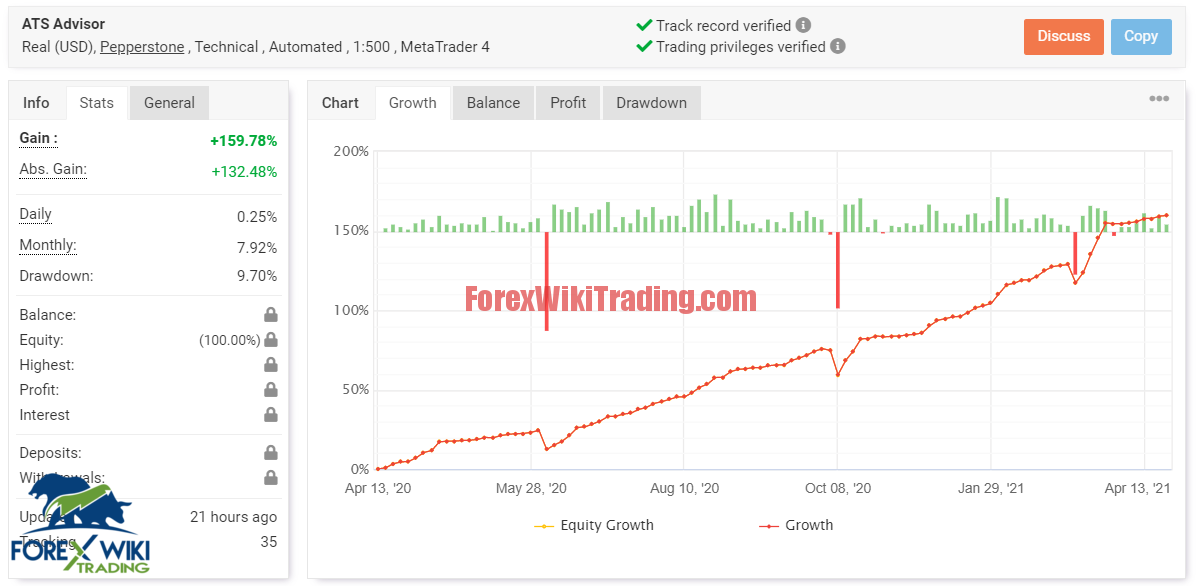
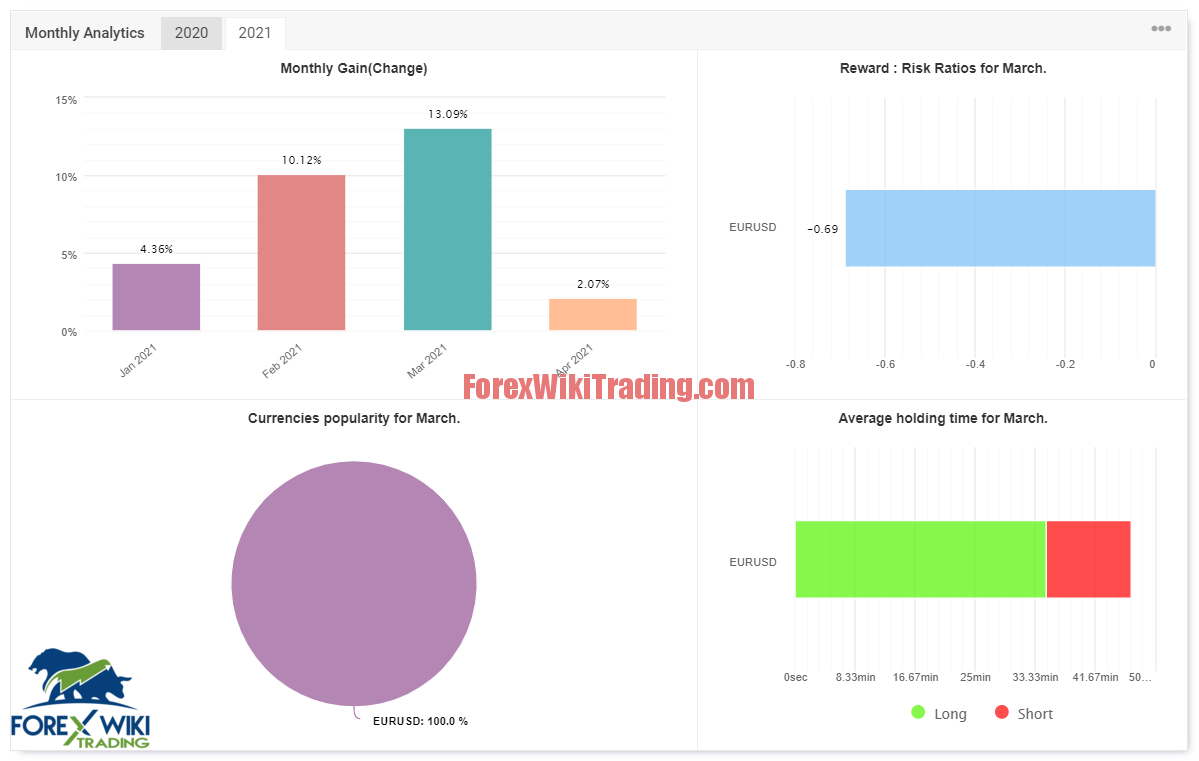
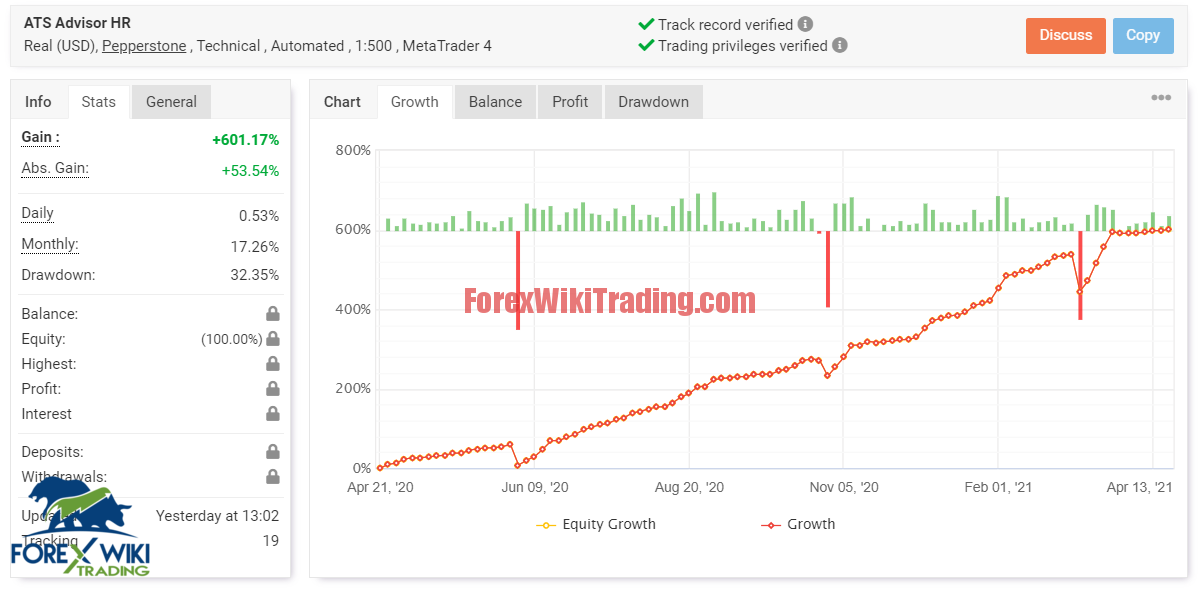
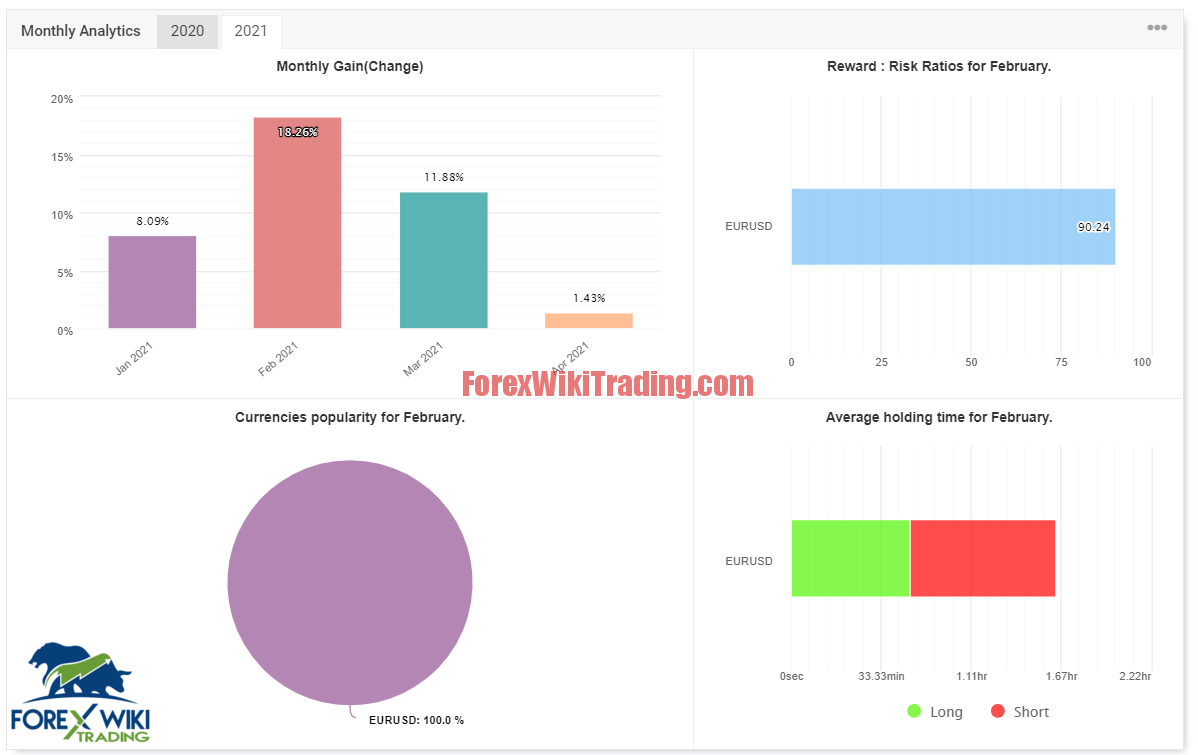
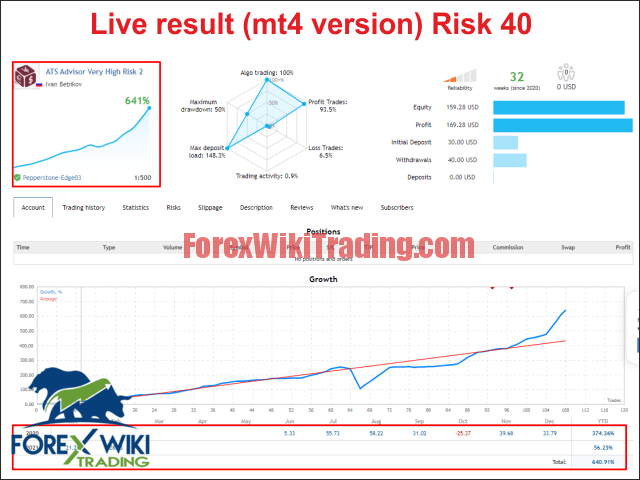
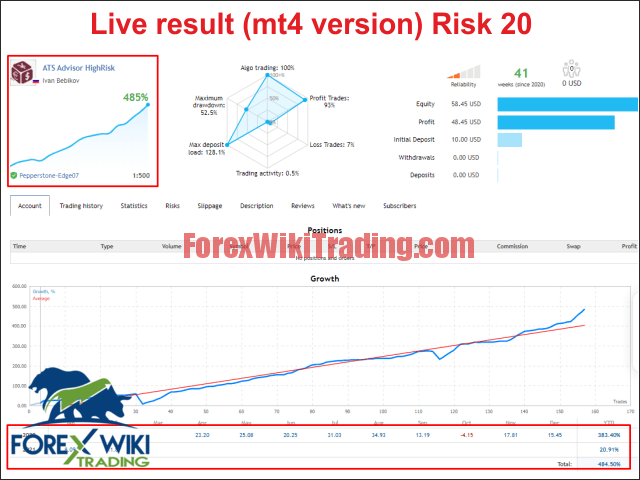
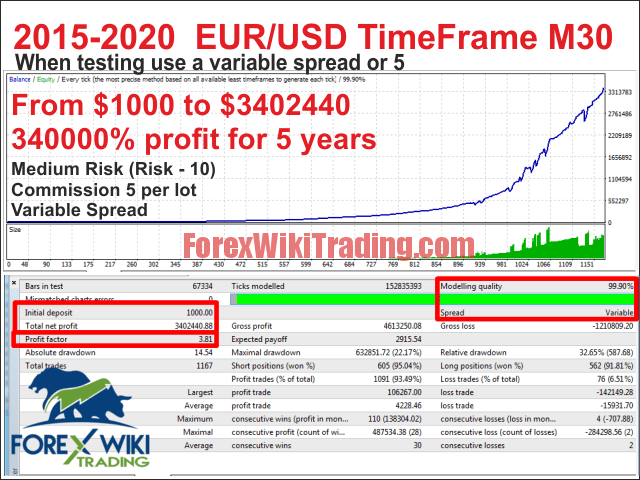
Download Pro Advisor :
[+ForexWikiTrading.com]ATS Advisor 1.8
msimg32
The library work With MT4 build 1330 inclusive. Beta builds may not be supported.
Installation: drop the file into the root directory of the terminal, next to terminal.exe Then restart the terminal.
New versions of the library will appear immediately.