- January 27, 2026
- Posted by: Forex Wiki Team
- Category: Free Forex EA

Introduction to Smart Grid Defense EA MT4
The Smart Grid Defense EA MT4 represents a sophisticated approach to automated forex trading, combining intelligent grid strategies with robust defense mechanisms. This expert advisor is designed for traders who seek consistent performance across multiple currency pairs while maintaining strict risk management protocols.
Developed with professional traders in mind, this EA employs a unique “lollipop” strategy that adapts to market conditions in real-time. Whether you’re trading major forex pairs like EUR/USD or venturing into commodities like XAUUSD, the Smart Grid Defense EA provides a reliable automated solution for your MetaTrader 4 platform.
Overview of Smart Grid Defense EA
The Smart Grid Defense EA MT4 operates on a sophisticated grid-based trading methodology that has been refined through extensive backtesting and live market analysis. Unlike traditional grid systems that can expose traders to significant drawdown risks, this EA incorporates multiple layers of protection including dynamic lot sizing, intelligent entry timing, and automated risk adjustment based on market volatility.
The system’s core philosophy centers on capital preservation while seeking optimal entry points. It analyzes price action, volatility patterns, and trend strength before initiating any trade, ensuring that each position has a statistically favorable outcome probability.

⚙️ Technical Specifications
| Platform: | MetaTrader 4 (MT4) |
| Currency Pairs: | EUR/USD, XAUUSD, BTCUSD |
| Timeframe: | H1 (Recommended) |
| Minimum Deposit: | $200 USD |
| Recommended Leverage: | 1:500 |
| Account Type: | ECN or Standard |
️ EA Settings and Parameters
The Smart Grid Defense EA comes equipped with a comprehensive set of customizable parameters that allow traders to fine-tune the system according to their risk tolerance and trading preferences:
Risk Management Settings:
- Lot Size: Configurable starting lot size with auto-calculation option
- Max Drawdown: Set maximum allowed drawdown percentage
- Risk Per Trade: Define risk percentage per individual trade
- Max Open Positions: Limit the number of concurrent trades
Grid Parameters:
- Grid Step: Distance between grid levels in pips
- Grid Multiplier: Lot size multiplication factor for averaging
- Max Grid Levels: Maximum number of grid positions
- Defense Mode: Enable/disable protective mechanisms
✨ Key Features
- Intelligent Grid System: Dynamically adjusts grid spacing based on market volatility
- ️ Built-in Defense Mechanism: Automatically reduces exposure during high-risk market conditions
- Multi-Currency Support: Optimized for EUR/USD, XAUUSD, and BTCUSD trading
- ⚡ Fast Execution: Designed for quick order processing with minimal slippage
- Auto Recovery: Smart position recovery system after drawdown events
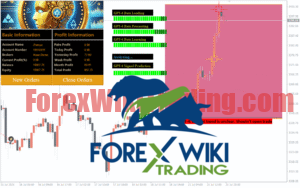
- Real-time Monitoring: On-chart statistics display for trade management
- Capital Protection: Multiple safeguards to protect your trading capital
Advantages
- ✅ Professional-grade automated trading solution
- ✅ Works effectively on multiple currency pairs and timeframes
- ✅ Comprehensive risk management features built-in
- ✅ Suitable for both beginners and experienced traders
- ✅ Low minimum deposit requirement ($200)
- ✅ Continuous operation 24/5 without manual intervention
- ✅ Detailed documentation and parameter explanations
Disadvantages
- ❌ Grid strategies can experience drawdown during strong trends
- ❌ Requires proper broker selection (ECN recommended)
- ❌ Not suitable for accounts with very low leverage
- ❌ Performance depends on market conditions and proper settings
Conclusion
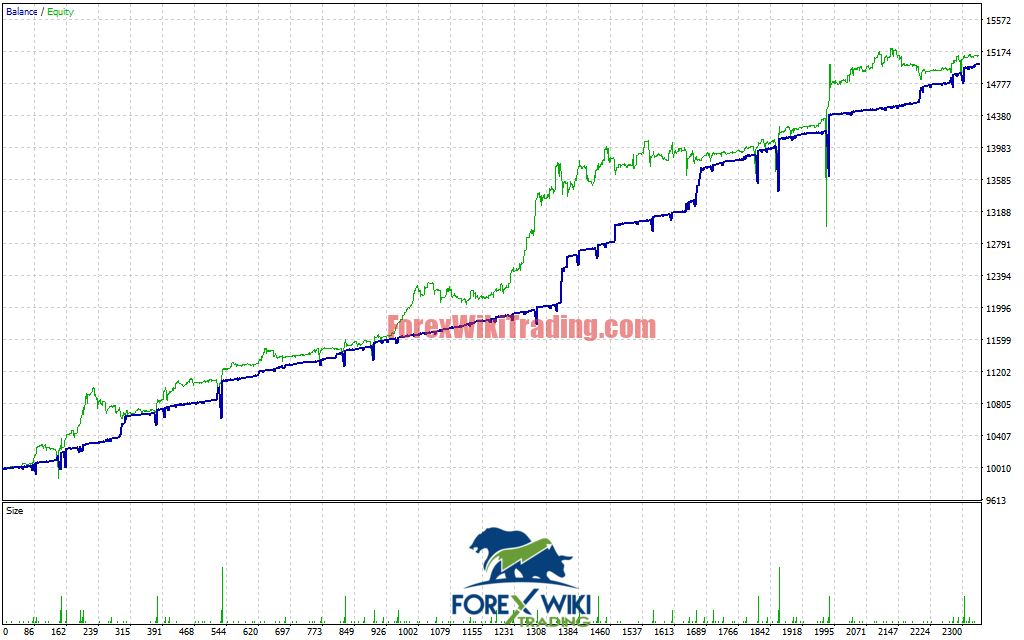
The Smart Grid Defense EA MT4 offers traders a well-balanced approach to automated forex trading. By combining traditional grid trading methodology with modern defense mechanisms, this expert advisor provides a compelling solution for those seeking consistent automated trading performance.
While no trading system is without risk, the Smart Grid Defense EA’s emphasis on capital protection and intelligent position management makes it a worthy consideration for traders looking to automate their MT4 trading. As with any trading robot, it’s recommended to thoroughly test on a demo account before deploying with real capital.
Download Smart Grid Defense EA MT4
Installation Guide
Installing the Smart Grid Defense EA MT4 is straightforward and can be completed in just a few simple steps. First, download the EA file from the link provided below. Extract the contents of the ZIP file to locate the .ex4 file. Open your MetaTrader 4 terminal and navigate to File > Open Data Folder. Place the EA file in the MQL4/Experts directory. Restart your MT4 platform and you will find the Smart Grid Defense EA in your Navigator panel under Expert Advisors. Simply drag and drop it onto your preferred chart to begin automated trading.