- October 15, 2025
- Posted by: Forex Wiki Team
- Category: Free Forex EA
Introduction
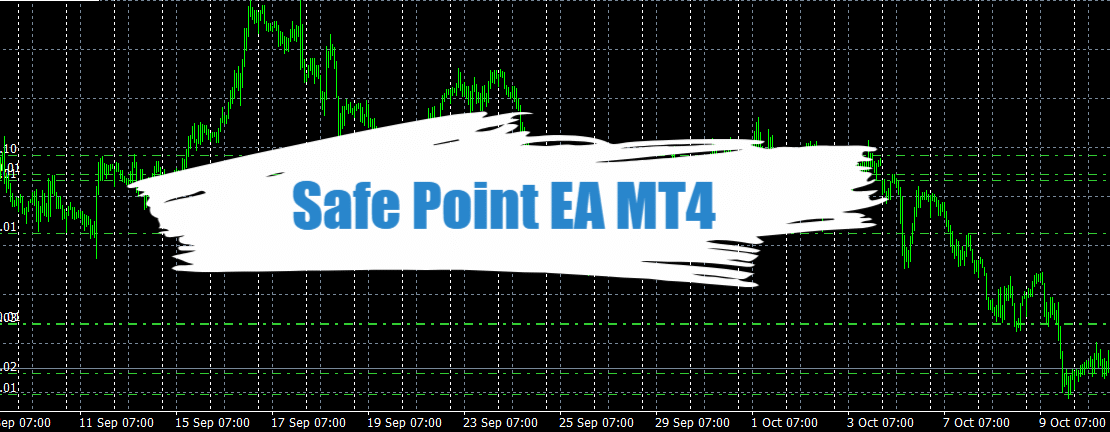
Safe Point EA MT4 is a trading tool (an Expert Advisor for MetaTrader and a cBot for cTrader) developed by EarnForex.
Its primary function is to move stop-losses and take-profits of multiple trades (on a given symbol) to a Safe Point EA MT4 level once a predetermined profit threshold is reached.
In other words, rather than each trade holding its own SL/TP, the tool consolidates their risk control into one unified breakeven line (on that symbol). Once the profit target (in pips / currency) is achieved, it shifts all filtered trades’ stop-loss to that common breakeven.
It supports filtering logic (so you can select which trades are “eligible” for the breakeven shift), and it provides a user-friendly toggle (on/off) via a chart button.
It is released under the Apache-2.0 license.
Below is a deeper dive into how it works, when it may help or hinder, and how to evaluate whether it fits your trading style.
Technical Specifications
Version: 1.01
Year of issue: 2025
Working pairs: Any
Recommended timeframe: Any
Minimum Deposit: $500
Average of account: 1:30 To 1:1000
Safe Point EA MT4 Settings

How It Works: Mechanics & Key Features
Trade Filtering & Eligibility
-
The EA or cBot does not blindly move every trade. You can set filters or conditions (based on your preferences) so only some trades qualify for being moved to breakeven.
-
For example, you might only allow trades of a certain size, opened via certain signals, or after a given spread/time — though the exact filtering options depend on the version and settings.
Breakeven Trigger Level
-
You define a profit threshold (in pips, or monetary units) at which the tool will activate and shift stop-losses to breakeven.
-
Once that threshold is reached across one or more trades, the tool moves all eligible trades’ SL (and sometimes TP) such that they no longer risk loss (or minimize it).
-
Because it uses a single breakeven level, all trades for that symbol share the same “no-loss line.”
Unified Risk Management
-
The core idea: instead of each trade being managed separately, risk is pooled and managed at the symbol level.
-
The unified breakeven forms a kind of “safety net” under which no trade will go into net loss (if the tool works as intended).
User Controls & Interface
-
The EA/cBot includes an on/off switch, accessible from the chart via a button, giving a quick way to disable the auto move-to-breakeven function.
-
Presumably, you can also adjust parameters like the profit threshold, filtering criteria, and possibly behavior for take-profits or how tight the breakeven is.
Platform Versions & Compatibility
-
There is support for MetaTrader 4 (MT4)
-
Also a cBot for cTrader is included.
-
Because the logic is simpler (move stops when threshold is hit), it is relatively lightweight in computation compared to more complex multi-strategy EAs.
Use Cases & Situations Where It Might Help

-
High-frequency / multiple trades per symbol: If you often open several trades on one symbol, centralizing stop-loss to breakeven may reduce tracking overhead.
-
Partial automation of risk control: Traders who prefer to manually monitor entries but want an “insurance” mechanism once profit is achieved.
-
Trend or swing trades with trailing management: The tool gives a form of dynamic exit safety once market momentum is favorable.
-
Avoiding micromanagement: Instead of adjusting SL for each trade, the EA handles it centrally.
Advantages of Safe Point EA MT4
Here’s a breakdown of potential benefits:
| Advantage | Details / Why It Matters |
|---|---|
| Simplified risk management | By using one breakeven line rather than managing individual stops, it reduces complexity. |
| Downside protection after profit | If used well, once the threshold is met, the trades are “locked in” from drawing down (or at least minimized). |
| Flexibility via filters | You can prevent it from interfering with trades you consider not safe to auto-adjust. |
| Cross-platform support | Runs on both MT4/MT5 and cTrader, giving traders more flexibility across brokers. |
| Open-source licensing | Since it’s under Apache-2.0, advanced users may inspect or modify the logic. |
Disadvantages of Safe Point EA MT4
No tool is perfect. Here are key drawbacks and caveats to be aware of:
-
False sense of security
Moving stop-loss to breakeven does not guarantee profit. Market reversals or slippage can still erode gains (especially in fast-moving markets). -
Overcrowding / conflict among trades
If multiple trades have widely different entry or risk profiles, pooling them under one breakeven might lead to suboptimal exits for some trades. -
Missed profit opportunities
Because the breakeven is fixed once triggered, some trades might benefit from allowing more room for price fluctuations, but the tool could prematurely “lock in” and miss further gains. -
Parameter sensitivity
Setting the profit threshold too low might cause the tool to move SL too early; too high — it never triggers. Finding the optimal trigger is nontrivial. -
Non-ideal in volatile / slippage-prone markets
In fast markets with big spreads or gaps, moving SL might not execute at desired levels, introducing slippage or being skipped entirely. -
Lack of intelligence beyond one rule
This tool is essentially rule-based: “once profit X, move to breakeven.” It does not adapt to changing volatility, news events, or pattern shifts. -
Possible interference with other EAs / strategies
If you have other tools doing trailing stop, partial close, or complex exit logic, there might be conflicts or undesirable interactions. -
Platform / broker constraints
Some brokers impose restrictions (minimum stop distances, etc.) that might prevent moving stops too close. The tool must check these, or you risk errors.
Performance Scenarios & Examples
Imagine you have three open buy trades on EUR/USD, each at different entry levels and with different original stop-losses. You set the profit threshold at +20 pips. Once the market moves such that the cumulative (or per-trade) profit crosses 20 pips, the tool shifts all three trades’ stop-loss to a level that corresponds to “breakeven” (i.e. no loss if price reverses).
From then on, your trades are protected against losing beyond breakeven (ignoring slippage). However:
-
If the market reverses sharply, your trades are closed at breakeven, foregoing potential further gains.
-
If volatility spikes before the threshold is reached, you might suffer a loss on some trades before the tool acts.
Another scenario: you set the threshold too high. Suppose threshold is 50 pips but typical movement seldom crosses that barrier — the tool never triggers, and you have no protection.
Thus, success with this tool depends heavily on parameter tuning, market conditions, and compatibility with your entry strategy.
Evaluation From a Strategy / Trading Systems Perspective
From a system-design point of view, Safe Point EA MT4 is a risk-management overlay, not a standalone strategy. It does not generate signals — it only reacts after trades exist.
Its value hinges on:
-
Signal reliability: If your entries are sound, giving them a safety net after profit is more likely to be beneficial.
-
Volatility regime: In trending, smooth moves, it may succeed; in choppy or reversal-prone markets, it might underperform.
-
Position sizing discipline: Overleveraged accounts may see even small adverse moves eat margins before the tool can act.
-
Latency, execution, and broker behavior: The actual execution of moving stops must be timely and accurate to be effective.
Also, because it’s open-source, sophisticated users or developers could integrate further logic (e.g. volatility filters, dynamic thresholds) to mitigate some of its drawbacks.
Conclusion
Safe Point EA MT4/ cBot: unified breakeven stop management tool provides a mechanism to automatically move all eligible trades on a symbol to a single breakeven level once a set profit threshold is reached. It aims to reduce downside risk after success.
What makes it interesting (pros in brief):
-
Simplifies stop-loss management across multiple trades
-
Helps “lock in” gains once a threshold is hit
-
Offers filtering options to selectively apply the logic
-
Available for MT4, MT5, and cTrader
-
Open-source under Apache-2.0
⚠️ Key risks (cons in brief):
-
Doesn’t ensure net profit (slippage, gaps still possible)
-
May reduce upside potential by prematurely securing breakeven
-
Parameter tuning is critical and nontrivial
-
Interaction conflicts with other EAs or strategies
-
Broker rules, latency, and volatility may limit effectiveness