- February 19, 2023
- Posted by: Forex Wiki Team
- Category: Free Forex EA
Golden Pickaxe EA Review
Golden Pickaxe EA : If you are a trader looking to make a profit in the volatile XAUUSD market, then Golden Pickaxe EA might be the right solution for you. This fully automated advisor has been back-tested using real ticks from 2003 to 2022 and is currently performing well on various brokers.
Symbol: XAUUSD
Timeframe: M15
Minimum Deposit: $100
Recommended Deposit: $150
Best Brokers List
The Golden Pickaxe EA works with any broker and any type of account, but we recommend our clients use one of the top forex brokers listed below:
[ninja_tables id=”26339″]
Golden Pickaxe EA Settings
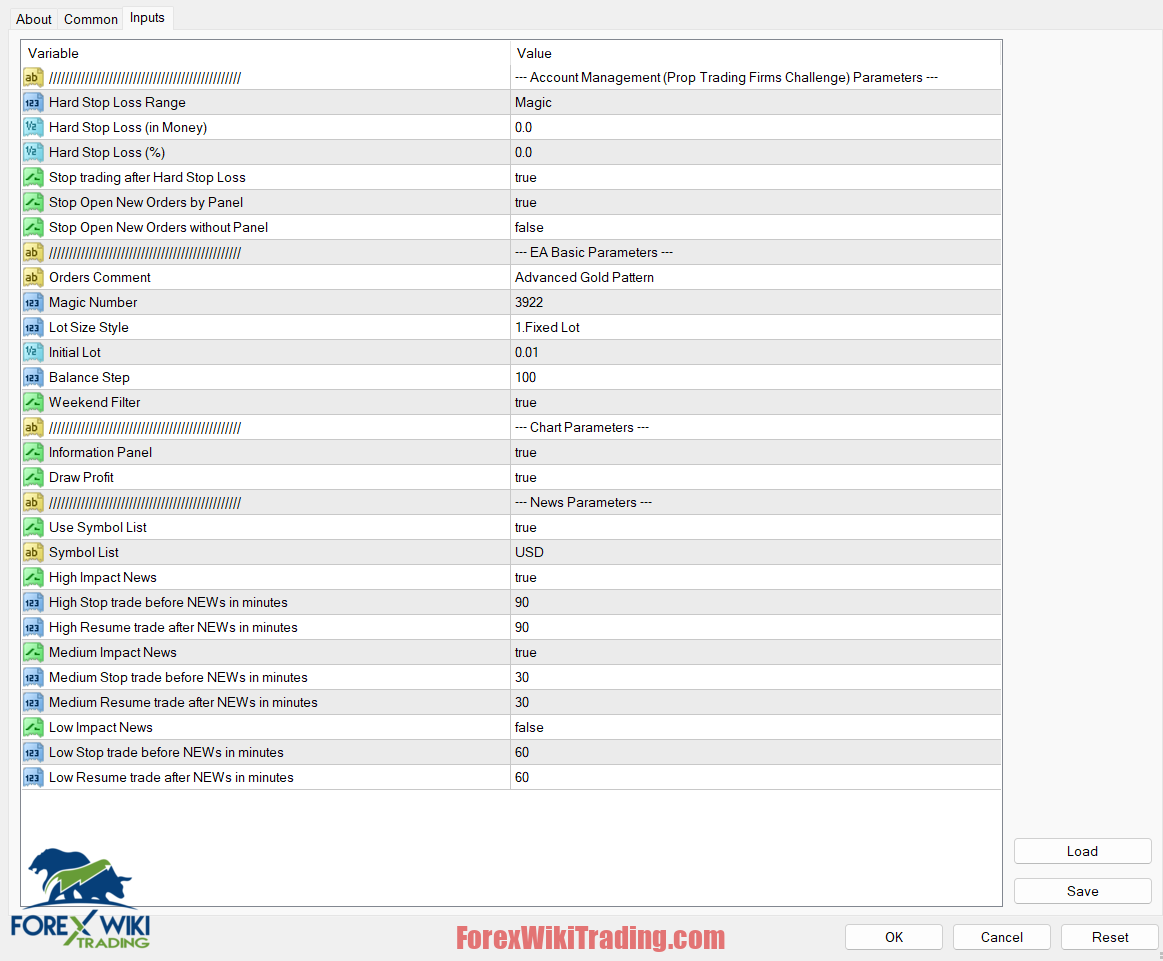
Features of Golden Pickaxe EA:
- Safe Trading Strategies: Golden EA uses a safe trading strategy without any martingale, grid, double lot, averaging, or other dangerous strategies. This means that there is no risk of losing all of your investment in one go.
- Protection for Your Investment: This EA only enters one order at a time and is always protected by stop-loss. This ensures that your investment is protected from any potential losses.
- Pure Price Action: Golden Pickaxe EA uses only pure price action for entry, ensuring that you get the best trading signals based on the market’s behavior.
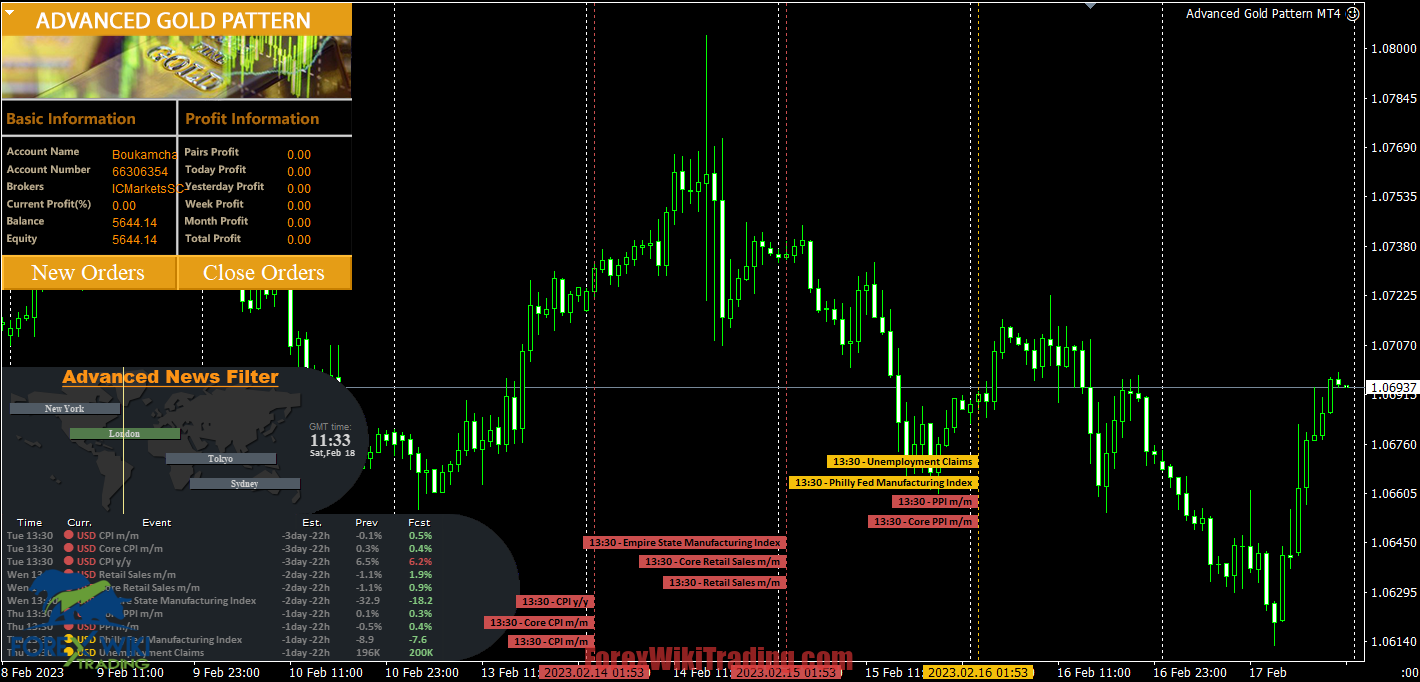
- News Filter: This EA also comes with a news filter that stops the EA before high-impact news, limiting the drawdown and ensuring that you are trading only when it is safe.
- Smart Time Filter: The smart time filter feature ensures that the EA avoids unexpected falling, rising, gap, or other market movements that can lead to losses.
Installation Instructions:
To install Golden Pickaxe , follow these simple steps:
- Allow web requests to the following URLs for the news filter (delete spaces!): https://nfs.faireconomy.media
- Open the MT4 platform, go to the “File” menu, and click on “Open Data Folder.”
- Copy the Golden Pickaxe EA file into the “MQL4” folder.
- Restart the MT4 platform.
- Drag and drop the Golden Pickaxe EA onto the XAUUSD chart.
- Ensure that the expert advisor button on the top toolbar is activated.
- Golden Pickaxe EA is now ready for use.
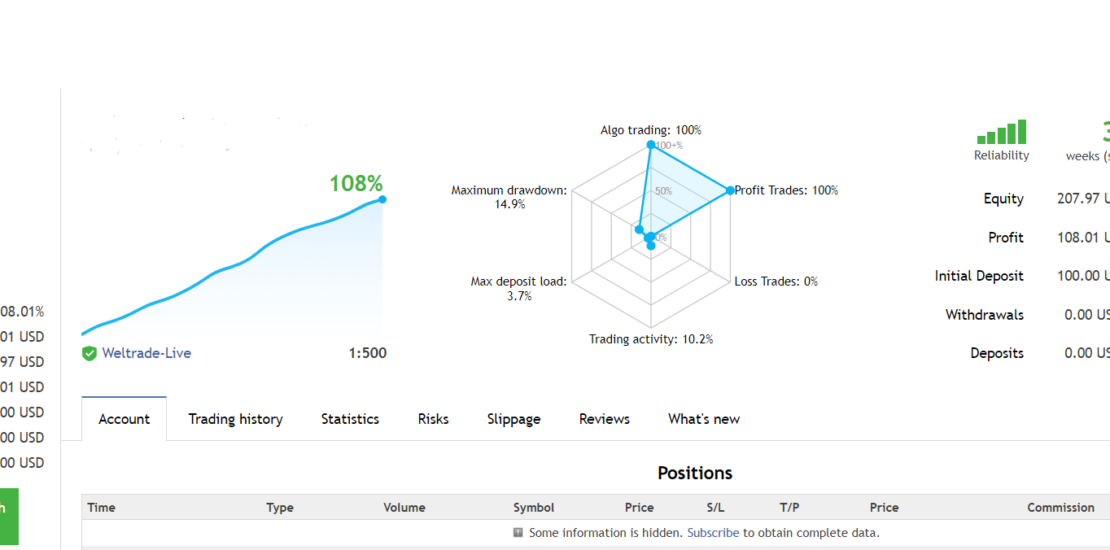
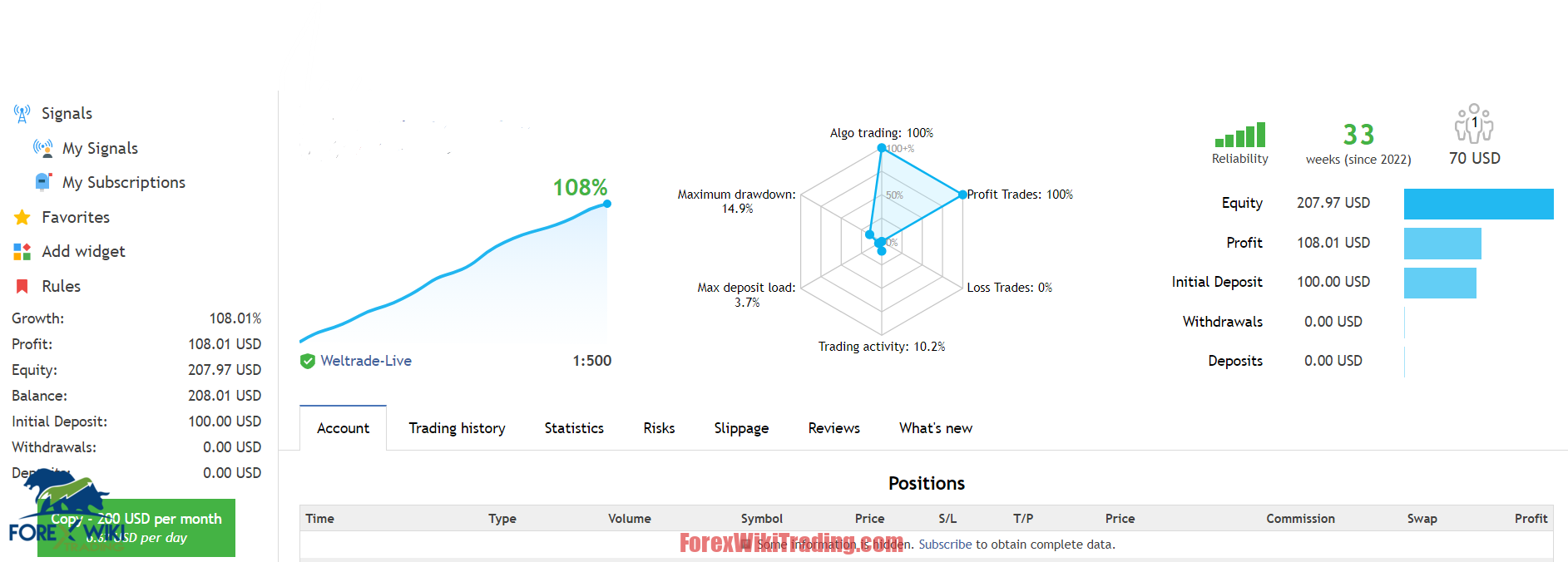
Golden Pickaxe Results

Conclusion
Golden Pickaxe EA is an effective expert advisor that is designed to provide safe and profitable trading signals for XAUUSD traders. With its advanced features and safe trading strategies, this EA is a reliable tool for any trader looking to make a profit in the XAUUSD market.
Golden Pickaxe Free Download
We highly recommend trying the Golden Pickaxe with ICMarket demo account. Also, familiarize yourself with and understand how this system works before using it on a live account.
To ensure the proper functioning of this forex robot, please note that it requires the “version.dll” DLL file and the “fix” folder to be placed in the root of MT5. However, we are not the authors of these files. To keep your PC safe, we highly recommend installing MT5 on a virtual machine and running the EA through it.
Golden Pickaxe EA
Password: forexwikitrading.com
Related Posts: